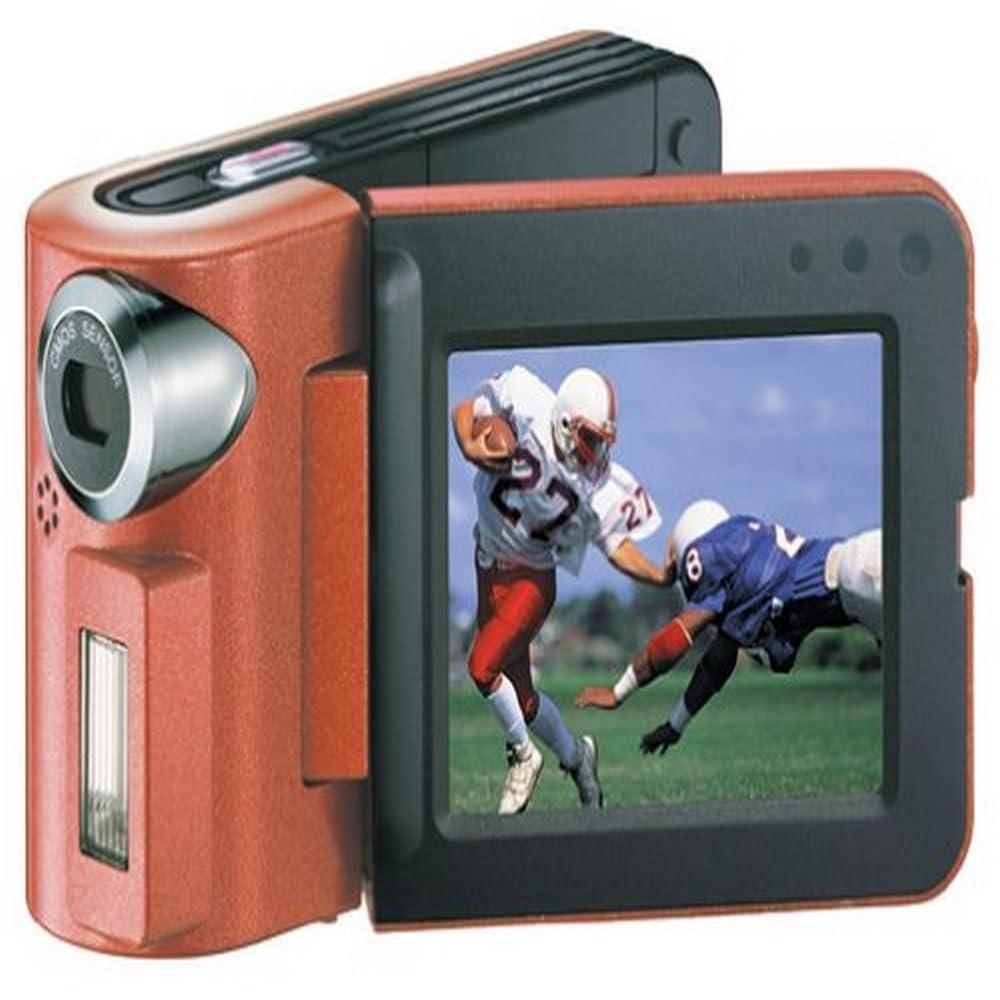
Description
- MPEG4 recorder
- Fixed-focus lens
- 2-inch color LCD
- Records both digital stills and voice onto the included 64 MB SD card
- Plays back MP3 and AAC files
Amazon.com
The Panasonic SV-AV10 is one of the many new convergence devices on the market today. This particular device captures digital stills, shoots MPEG-4 movies, acts as a voice recorder, and plays back MP3 and AAC files. Plus, the machine itself is about the same size as a Motorola StarTac cell phone. The package includes various software to support the multiple functions, an SD card reader-writer, and 64 MB SD card.
Initial Impressions
Small. This thing is just small. Really small. It's the first thing people mention when they see it for the first time. Cute is usually the second word applied. And it's both of those things. It fits easily in small hands, and I was using it to make a quick movie and shoot some stills within minutes of picking it up.
Interface
The SV-AV10 is essentially a big battery with a lens and SD card reader-writer. As such, the control system is rather limited, consisting of two buttons and a rocker switch on the back, and a large trigger button on the top. On the back, the menu button doubles as the power button. The power won't turn on or off unless you hold the button for two to three seconds, making it hard to accidentally turn on the phone while it is in your pocket. Upon powering up, you're confronted with the various modes (movie mode, still mode, etc.) for recording or playback. You use the rocker switch to choose between them, and the mode button to switch between the playback and recording menus. Whatever recording mode you're in, the trigger switch at the top starts and stops. In playback modes, you rely heavily on the rocker switch. Depressing the switch performs multiple functions, and makes me wish they'd added another button. The system works well for the most part, however, and is relatively simple.
It's clear that Panasonic intended the user to manage files by using the included software and memory card reader. It is extremely difficult to delete individual files, and to actually playback items is a bit cumbersome, as the SV-AV10 only displays a list of files stored, requiring you to pick blindly (file names are automatically generated, and usually appear similar to this: MOL001.ASF). The only exceptions are the MP3 and AAC files you transfer to the memory card, but those file names are truncated after 17 characters, so you need to be concise.
Movie Mode
I'll admit, I was quite excited about the promise of an MPEG-4 in such a small package. This new codec stuffs really large video files into exceedingly small spaces, and is being used by entertainment companies to provide new video-on-demand services over the Internet. And, the codec is so efficient that even in the "fine" mode, you can store about 20 minutes of footage on the included 64 MB SD card. Unfortunately, the footage you get from the SV-AV10 is jerky: the frame-rate is probably about 15 fps, far short of the 24 fps that movies are shot at, or television's 29.9 fps. What it is good for, though, is sending e-mails to friends, and making little mini-movies for fun. I'd hoped for a little more than this, as Kodak's MC3 supplied as much a year earlier (with a smoother frame rate). Similar to the MC3, you can shoot until the card is full (about 20 minutes with the included 64 MB card), whereas most digital camera movie modes have a 30 or 40 second time limit per clip.
Frame-rate limitations aside, the SV-AV10 is a fun toy. There's a certain amount of kitsch value with something like this, but the price might end up being too prohibitive for some.
MP3 Playback
There's not a whole lot to discuss here. Once you've used the included software (RealJukebox) to transfer files to your SD card--digital-rights management is in effect, so you need to check music in and out--you place the card back in the SV-AV10, go to the MP3 playback mode and go. There's no EQ, and the headphones that come with the machine are of the cheap earbud variety, which means you'll probably want to use a better set. Obviously, the machine's not geared toward a